Menu
Interactive Lab
Get In TouchDesign System
Aectura component library
Interactive demonstration of the branding vectors, system icons, and UI components extracted from our master sheets.
01. Brand Logos
 Horizontal Lockup
 Square Emblem
 A-Mark Icon
02. System Iconography
Vector SVGs traced from the icon grid. Click any icon to copy its relative path to your clipboard.
03. Buttons & Interaction States
Default active state
Glow and highlight on hover
Selected or pressed state
Unavailable action
04. Form Fields
05. Semantic Functional Colors
Functional Red (Error)
#B20F03Functional Green (Success)
#2E8B5706. Spliced UI Assets (Pipeline Outputs)
Raw PNG slices extracted from the Component Library master sheet using the OpenCV contour splicing script.
Spliced Button Elements
 button_005_104x49.png
 button_013_222x50.png
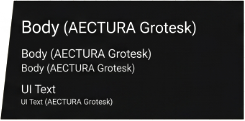 button_015_245x121.png
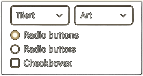 button_016_143x76.png
 button_021_129x68.png
 button_024_155x94.png
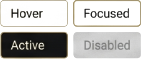 button_026_141x59.png
 button_027_200x21.png
 button_028_130x23.png
 button_030_129x23.png
 button_031_95x37.png
 button_032_91x45.png
 button_033_139x23.png
 button_034_163x37.png
 button_035_221x37.png
 button_036_249x38.png
Spliced Form Panels
 form_element_014_104x94.png
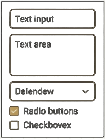 form_element_020_105x139.png